 RealReaction AI
A RealReaction AI report has five parts: scores, stuck points, panelist reactions and ranked fixes. This post walks through each one using our sample report for Harbor & Pine, a fictional shop made up for this page. It is not a real customer.
The panel is simulated, so treat everything below as a fast first read, not a verdict from real shoppers.
1. The scores and the summary
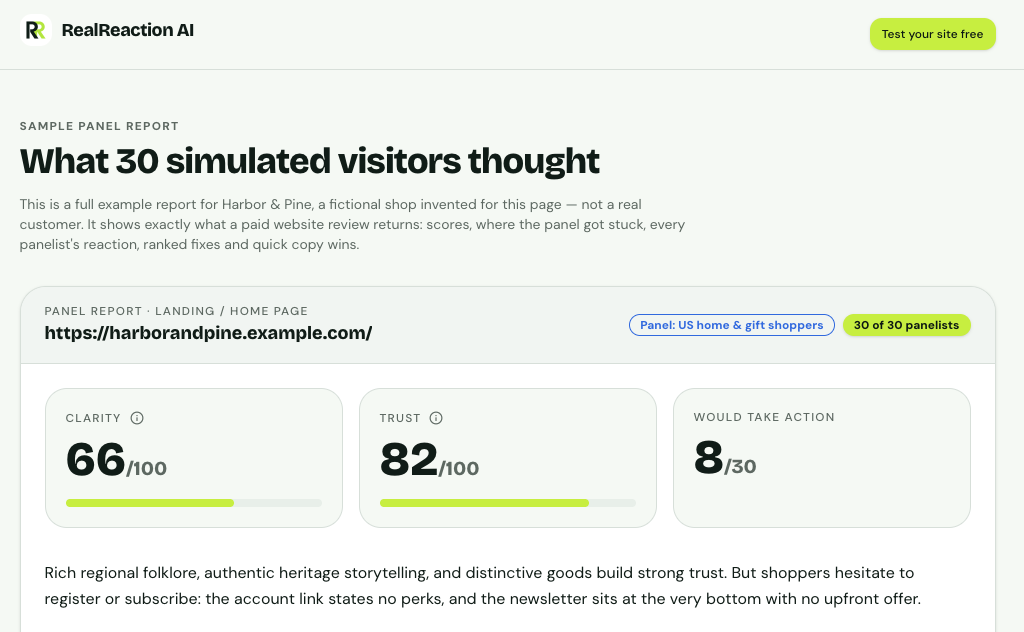
The top of a report: two scores, an action count and a plain-English summary.
At the top you get three numbers:
- Clarity (66/100) shows how well visitors understood what the page offers and what to do next.
- Trust (82/100) shows how believable and credible the page felt.
- Would take action (8 of 30) shows how many of the 30 simulated visitors would do the main thing the page asks.
Read the summary paragraph first. In this example, trust is high but clarity and action are lower. The summary explains why: visitors liked the brand story but hesitated at signing up, because the account link and the newsletter did not say what they get.
Scores are most useful as a comparison, not a grade. Compare a page with its own earlier version, or with pages of the same kind, rather than chasing a perfect number.
2. Where the panel got stuck
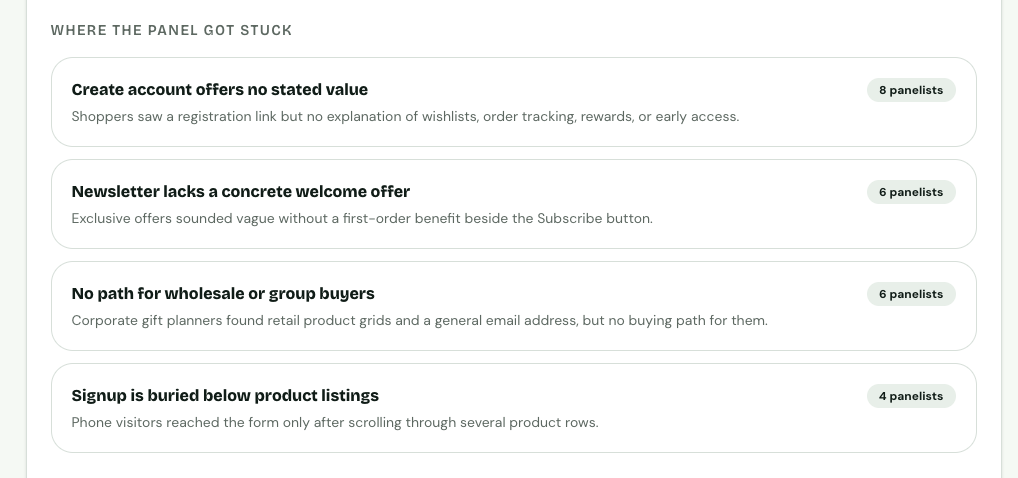
Stuck points are ranked by how many panelists ran into them.
This is the most useful part. Each item is a problem and a count of how many of the 30 panelists mentioned it. In the sample:
- "Create account offers no stated value" came up for 8 panelists.
- "Newsletter lacks a concrete welcome offer" came up for 6.
- "No path for wholesale or group buyers" came up for 6.
- "Signup is buried below product listings" came up for 4.
A problem that many panelists hit is worth fixing first. One that only a few hit may matter only to a narrow group, so check whether that group is your customer.
3. What each panelist said
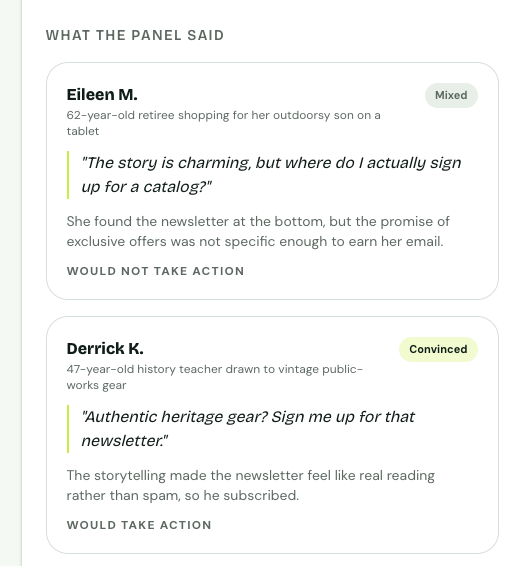
Each panelist has a profile, a one-line reaction and a short reason.
Every panelist has a short profile, a reaction (convinced, mixed or confused), a quote, and whether they would take action. Two kinds of cards are worth your time:
- Would not take action. The reason is usually a specific missing piece of information. In the sample, one shopper liked the story but could not tell what the newsletter offered.
- Would take action. These show what is working. Keep it. One sample shopper subscribed because the story made the newsletter feel like real reading, not spam.
Look for patterns across cards, not single quotes. If several different shoppers raise the same hesitation, it is probably real.
4. Recommended fixes, ranked by impact
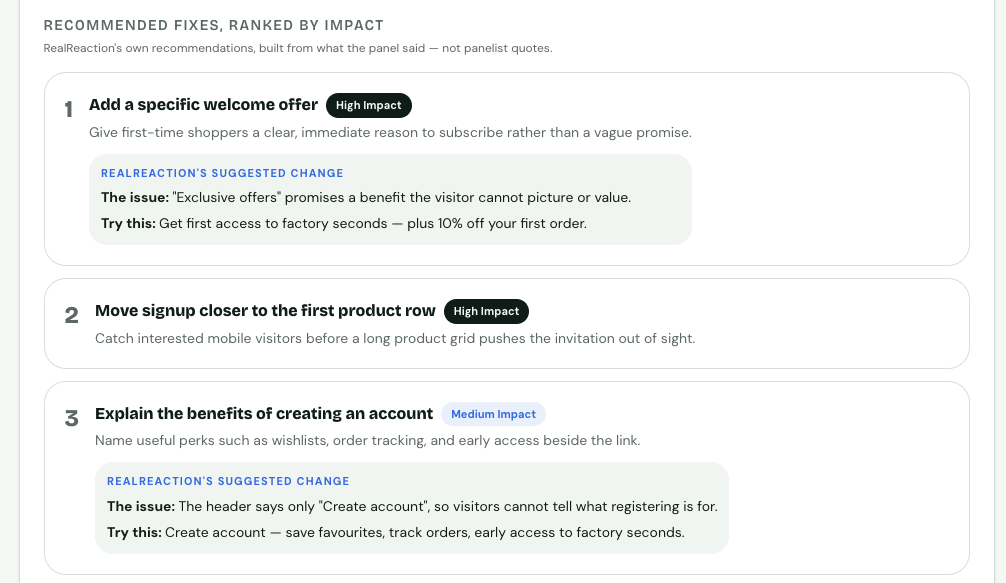
Fixes are ranked by impact, with suggested wording where it helps.
The fixes are built from what the panel said. They are ranked by expected impact, and some include suggested wording you can paste in. In the sample, the top fix is to replace a vague "exclusive offers" line with a specific first-order benefit.
A practical order of work:
- Do the high-impact fixes first.
- Make one or two changes at a time, so you know what helped.
- Re-run the review after your changes.
- Check that the stuck points you fixed no longer appear.
Some reports also include quick copy wins: small wording changes, such as a button label that says what happens next. They take a few minutes each.
5. Quick copy wins
Many reports end with quick copy wins: small wording changes beyond the main fixes. Each one shows the current text, a suggested replacement and the reason. They are separate from the ranked fixes, and a Before & After rebuild does not apply them, so you paste them in yourself. In the sample, a button that said 'Subscribe' becomes 'Get first access to factory seconds,' because that was the one benefit the panel found worth opening.
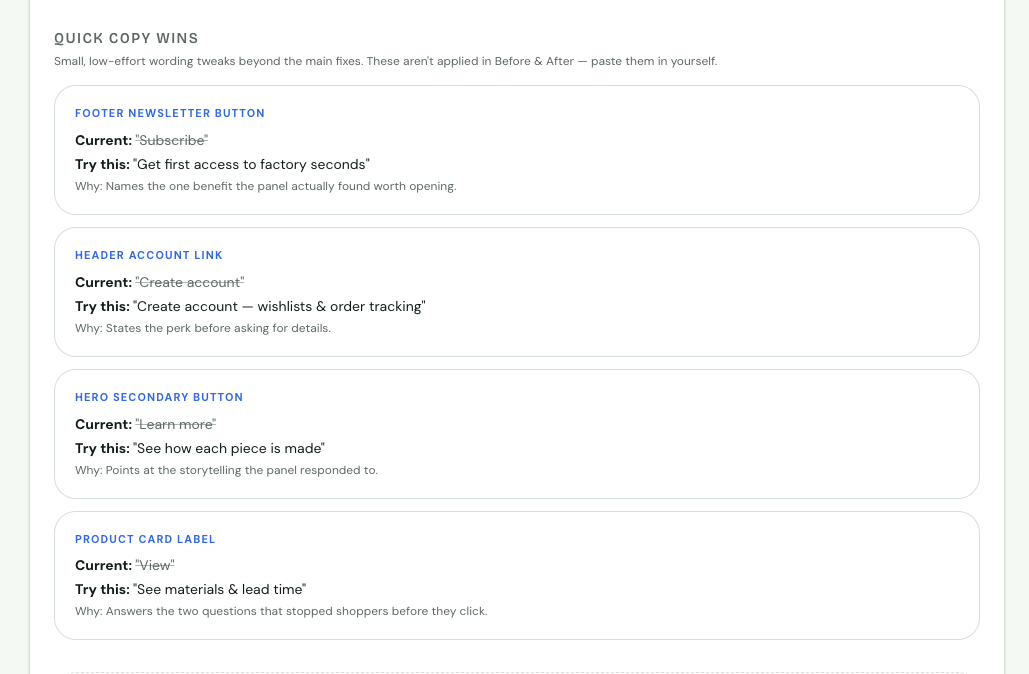
Quick copy wins show the current wording, a suggested replacement, and why.
What a report cannot tell you
The panelists are simulated. They react to what is on your page, but they do not know your customers, your prices compared with competitors, or how your brand is seen. They can also misread a detail. Check anything surprising against your live page before acting on it, and compare the results with real analytics and customer feedback.
Try it on your own page
Run a free review at realreaction.ai and read your own report using this guide. You can also see the full sample report or pricing. To see how the fixes turn into a rebuilt page, read Before & After website rebuild.